Honen for TalentLMS: create training and keep your LMS
Honen helps you draft, review, and update training for TalentLMS. Keep TalentLMS for course access and records. Build the lesson and AI tutor in Honen. Then add a Honen package as a learning activity in your TalentLMS course.
Choose a verified delivery path
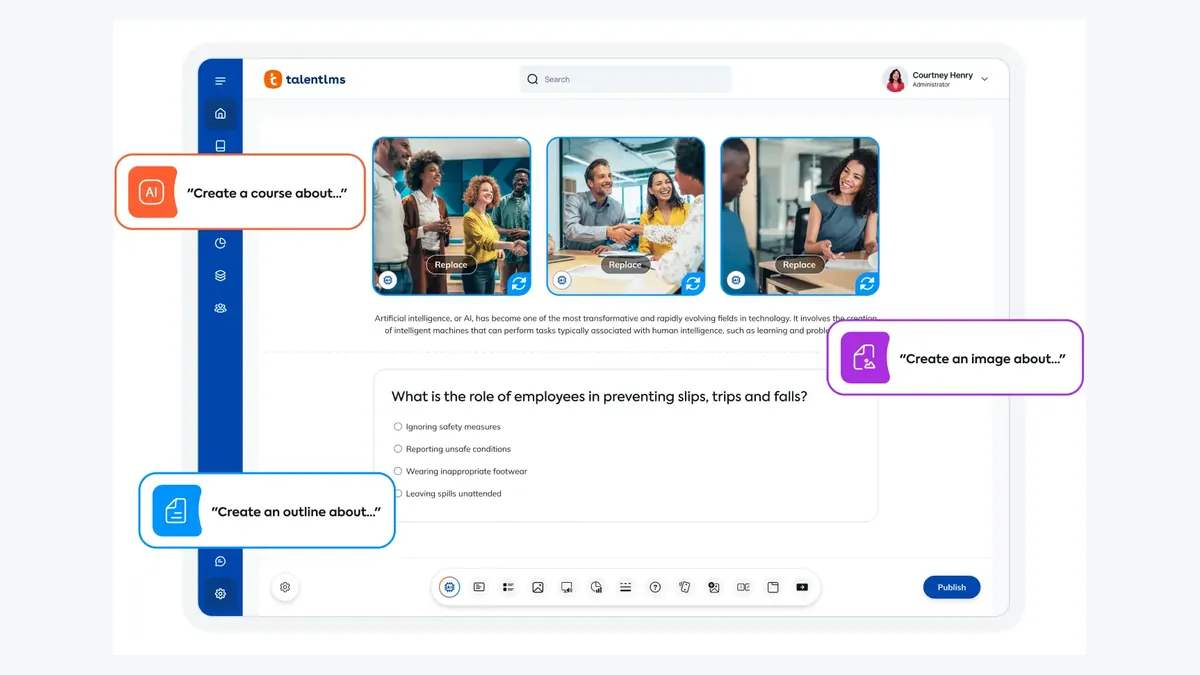
TalentLMS accepts SCORM 1.2 and cmi5 packages. For SCORM, export a single-SCO SCORM 1.2 ZIP. TalentLMS does not support SCORM 2004 or Multi-SCO packages. Use cmi5 only after you confirm that xAPI is enabled in your portal and test the package in your tenant.
In the course editor, select Add → Learning Activities → SCORM | xAPI | cmi5. Upload the ZIP. Set the unit display to Embedded or Pop-up. Save and publish the unit. TalentLMS documents these steps. Test the launch with a learner account before release.
Draft a useful course from your source

Give Honen an approved policy, procedure, slide deck, or video. State the learner's task. Review the outline, lesson facts, questions, and tutor answers with the source owner. Honen can help you turn a long source into short lessons and checks for understanding.
For controlled language, use one approved term for each concept. Write short sentences. Put one action in each instruction. A qualified editor must check the applicable ASD-STE100 rules, approved dictionary, and domain terms. Honen supports drafting and review.
Update content and check results
Honen's thin package loads current approved course content when the learner opens it. A text correction in Honen can appear through the existing package without a new ZIP upload. Test any change to tracking, navigation, or package structure before release. A live package also needs network access to Honen. TalentLMS warns that external dispatch packages can fail if the external host cannot be reached or blocks the connection. Test launch in your browsers and network before rollout.
The Honen tutor runs with the course. Learners can ask questions about its material during the launch. For SCORM, completion, status, score, time, and resume data depend on the package and are sent while the course is open. TalentLMS reports SCORM unit progress and attempts. For cmi5, the package sends statements to the TalentLMS LRS; its Timeline shows the recorded activity. Honen's separate xAPI forwarding to your own LRS needs its own setup and test.
Questions teams ask
Can I upload a SCORM 2004 package?
No. TalentLMS says it supports SCORM 1.2 only. Export a single-SCO SCORM 1.2 package.
Does a lesson edit require another upload?
An edit to Honen-hosted content can load through the existing live package. Re-test structural and tracking changes.
Can I use cmi5?
TalentLMS documents cmi5 import. Enable xAPI in your portal and test a learner attempt before rollout.
Where can I see results?
Use TalentLMS Learning activities for SCORM results. Use its Timeline for cmi5 activity. Review deeper learning activity in Honen.
Does Honen certify ASD-STE100 conformity?
No. A qualified editor must check the draft against the specification and approved terminology.
TalentLMS guides
- AI course creator for TalentLMS
- SCORM authoring tool for TalentLMS
- How to upload SCORM to TalentLMS
- AI tutor for TalentLMS
- TalentLMS learning analytics
- Articulate and iSpring alternatives for TalentLMS
- Turn source files into TalentLMS courses
- Compliance training for TalentLMS
- Fix SCORM tracking in TalentLMS
- TalentLMS cmi5 and xAPI guide
Compare paths in the LMS integration chooser.
Related guides
- AI course creator for TalentLMS | Honen
- AI tutor for TalentLMS courses | Honen
- Articulate and iSpring alternatives for TalentLMS | Honen
- TalentLMS cmi5 and xAPI guide | Honen
- Compliance training content for TalentLMS | Honen
- TalentLMS content generator for PDFs, slides and video | Honen
- TalentLMS learning analytics with Honen
- SCORM authoring tool for TalentLMS | Honen
- TalentLMS SCORM not tracking? Check these causes | Honen
- How to upload SCORM to TalentLMS | Honen guide
Build with Honen
Create a course from your source material. Review the content. Deliver it through your LMS.
Book a demo