TalentLMS cmi5 and xAPI: choose and test the right path
TalentLMS can import a cmi5 ZIP and record its statements in the TalentLMS LRS. Honen can deliver a cmi5 package, but you must test launch and tracking in your portal. Separate Honen xAPI forwarding to your own LRS needs a separate setup. See Honen for TalentLMS for the full course workflow.
Know what each term means
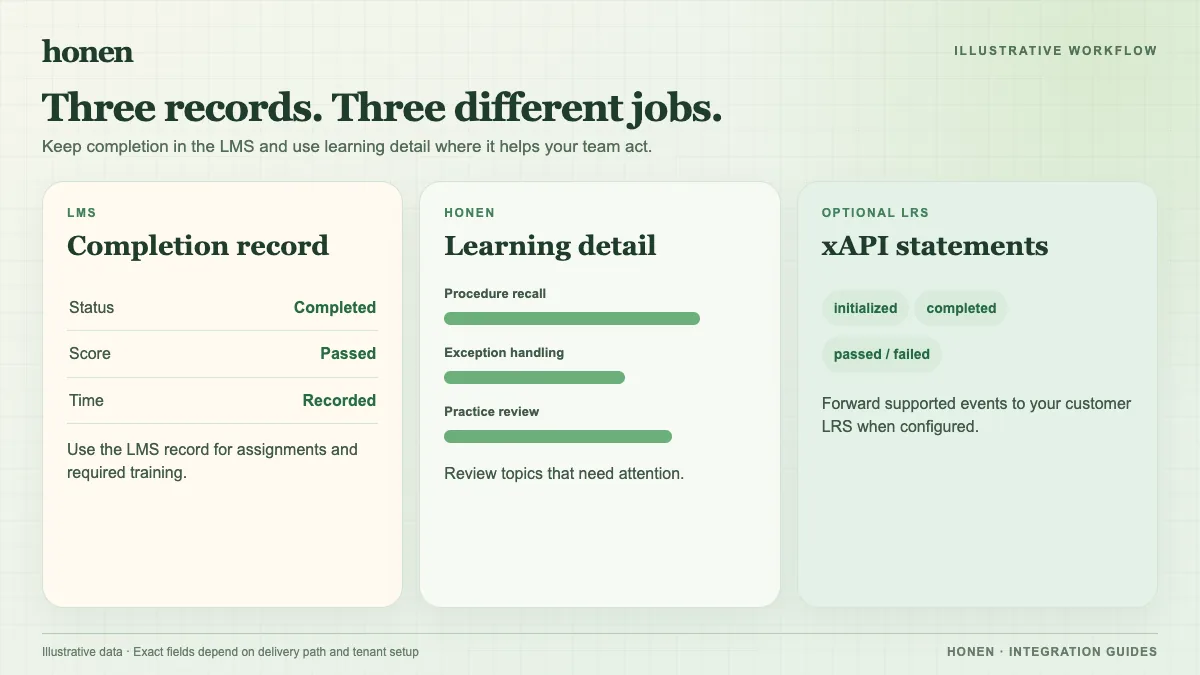
SCORM 1.2 uses an LMS browser session to return course status and score. cmi5 packages use xAPI statements with defined launch and completion rules. xAPI is the statement format; it does not by itself define the same LMS course launch workflow. TalentLMS supports these as different learning activity types.
Import cmi5 into TalentLMS
- Confirm that Tin Can xAPI is enabled under Account & Settings → Integrations → xAPI Integration.
- Sign in as an Instructor and edit the target course.
- Select Add → Learning Activities → SCORM | xAPI | cmi5.
- Upload the cmi5 ZIP and publish the unit.
- Launch it with a test learner. Complete and exit the activity.
These steps follow TalentLMS's cmi5 import guide. Its guidance says cmi5 activity is recorded in the TalentLMS LRS. Check Reports → Timeline and filter by xAPI events such as completion or failure.
Keep external xAPI forwarding separate
If your organization has another LRS, configure Honen's server-side xAPI forwarding for that endpoint. Confirm authorization and event mapping. Test a learner action and check that LRS. The TalentLMS cmi5 import does not automatically configure this separate route. Do not treat statements in one LRS as proof that the other received them.
Review all generated course text before export. Use short sentences and approved terms. A qualified editor must check ASD-STE100 rules and domain language; a generated draft is not a conformity certificate.
Next step
Use the TalentLMS integration overview to choose a first course. Read SCORM, cmi5, xAPI, and LTI explained for a wider comparison.
Related guides
Build with Honen
Create a course from your source material. Review the content. Deliver it through your LMS.
Book a demo