How Honen works with Cornerstone OnDemand
Keep Cornerstone Learning for assignments and training records. Use Honen to create a course, then deliver it in Cornerstone through a SCORM package. Your team does not need to move its LMS.
How the connection works
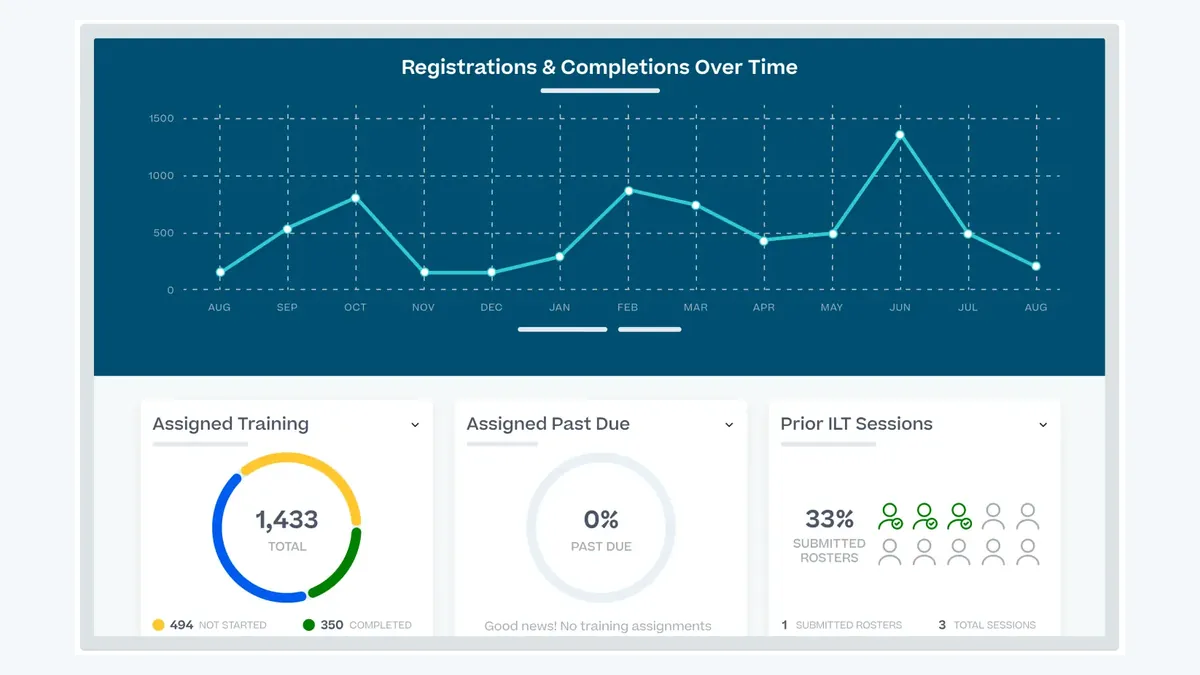
Cornerstone says its Learning platform supports proprietary content in SCORM format. A Cornerstone-authored Content Uploader guide describes how an administrator uploads a ZIP package. A 2024 Cornerstone tenant guide describes SCORM 2004 3rd Edition as that tenant's preferred format. Honen exports SCORM 2004 4th Edition, so check the edition and launch policy in your own tenant before release.
- Create and publish a course in a Honen organization workspace.
- Export a SCORM 1.2 package. Choose SCORM 2004 only after a test confirms that its edition works in your tenant.
- Ask a Cornerstone administrator to upload the ZIP and assign the course to a test learner.
Honen's package loads the current course from Honen. Learners need network access to Honen during the course. The package is not an offline course copy.
Build a course from source material

Start with a policy, procedure, slide deck, or video. Use Honen to draft lessons and practice activities. Check every generated statement against the approved source. Add the AI tutor so learners can ask questions about the course as they work.
For example, turn a lockout procedure into a short lesson, a sequence check, and a practice question. Have a subject expert check each safety instruction before you publish it.
Write clear training content
Honen can help your team draft and review controlled-language content. Use one term for one item. Write short instructions in active voice. Put one action in each step. These practices take useful direction from ASD-STE100, but they do not establish conformity. A qualified editor must check the approved dictionary, ASD-STE100 rules, and your domain terms.
Update once in Honen
A Honen SCORM package is a small launcher. When you edit the course in Honen, the package loads the current content on the next launch. A content edit does not require a new ZIP upload. A change to package settings, such as audience or reporting policy, can require a new export.
The full Honen course, including its AI tutor, can run within the Cornerstone course launch. Test the learner experience in your tenant. Browser policy and launch settings can affect an embedded course.
What Cornerstone and Honen record
While a learner has the course open, SCORM can report completion, pass or fail, score, session time, and resume data. The fields depend on the package policy and SCORM version. SCORM does not send grades from Honen to Cornerstone after the learner closes the course. Confirm the result with a test account before you assign the course widely.
Honen also keeps its own view of activity and mastery. Use Cornerstone for the assigned training record and Honen for a closer review of learning progress. If your organization has an LRS, review Honen's separate xAPI forwarding option; do not assume that importing a SCORM ZIP configures xAPI forwarding.
Questions teams ask
Does Honen work with Cornerstone SCORM 1.2?
Yes. Honen exports SCORM 1.2 packages, and Cornerstone documents SCORM content support. Test the package in your tenant before a broad release.
Does Cornerstone support SCORM 2004?
A 2024 Cornerstone tenant guide names SCORM 2004 3rd Edition as its preferred format. Honen exports SCORM 2004 4th Edition. Check that edition and your tenant settings with a test upload.
Must learners sign in to Honen again?
The SCORM launch provisions the LMS learner for the Honen course. Test your tenant's launch and browser policy to confirm a smooth learner session.
Will edits change an assigned course?
Yes. The Honen package loads current course content. Review the effect on learners who started an earlier version, and keep your own change record for regulated training.
Does a live package report grades in the background?
No. SCORM reporting occurs through the browser while the learner has the course open.
Related Cornerstone guides
- AI course creator for Cornerstone
- SCORM authoring tool for Cornerstone
- How to upload a SCORM package to Cornerstone
- AI tutor for Cornerstone
- Cornerstone learning analytics and tracking
- Articulate and Rise alternative for Cornerstone
- Turn PDFs, slides, and video into Cornerstone courses
- Compliance training content for Cornerstone
- Fix Cornerstone SCORM tracking problems
- What is a live SCORM package?
Build a course in Honen, test its SCORM launch in Cornerstone, and review both records before rollout.
Related guides
- AI course creator for Cornerstone OnDemand | Honen
- AI tutor for Cornerstone OnDemand courses | Honen
- Articulate Rise alternative for Cornerstone | Honen
- Compliance training content for Cornerstone OnDemand | Honen
- Turn PDFs, slides, and video into Cornerstone courses | Honen
- Cornerstone learning analytics with Honen SCORM courses
- SCORM authoring tool for Cornerstone OnDemand | Honen
- Cornerstone SCORM not tracking? Check these causes | Honen
- How to upload a SCORM package to Cornerstone OnDemand
Build with Honen
Create a course from your source material. Review the content. Deliver it through your LMS.
Book a demo