Cornerstone SCORM not tracking? Check these causes
When a Cornerstone course does not record completion, start with one test learner and one package. Confirm that the package launches, sends the intended result, and stays open long enough for the SCORM runtime to write it. Honen works with Cornerstone through SCORM, and Cornerstone supports SCORM content.
Check the package and version
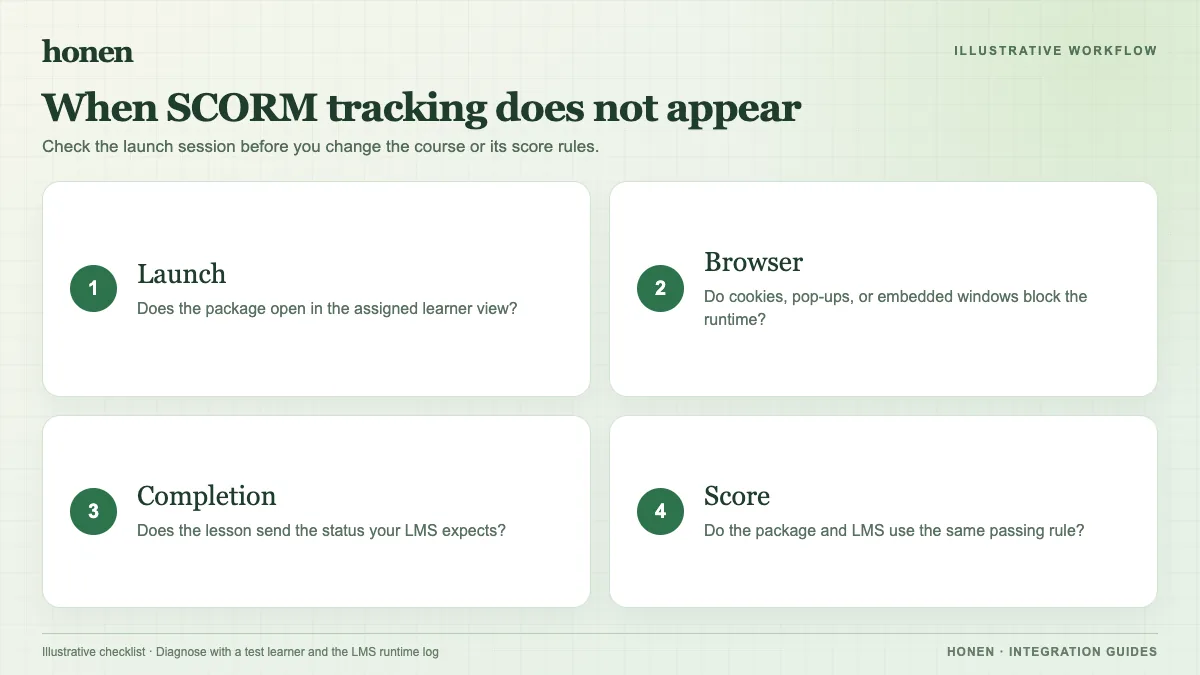
Confirm that you uploaded the original ZIP. Cornerstone's Content Uploader guide calls for a ZIP with one content standard. If validation fails, inspect the upload result before you change completion settings.
For Honen, begin with SCORM 1.2. Use SCORM 2004 only when the tenant and edition have passed a test. Do not assume that a version label alone proves that every reporting field works.
Check the reporting policy
Ask which event should complete the course: launch, progress threshold, course completion, or pass/fail. Match the Honen export policy to the training rule. Then complete the test course as a learner and inspect the Cornerstone record. A learner who has not met the selected rule should remain incomplete.
SCORM communicates through the browser while the course is open. If the learner closes the tab before the final write, Cornerstone may not have the intended result. Reopen the course, complete it, and allow the runtime to finish.
Check launch and browser behavior
An LMS frame, pop-up rule, or cookie policy can interrupt a course session. Test the same browser and launch method that employees use. Honen checks whether an embedded session works. When browser policy blocks that session, Honen can offer an “open in a new tab” fallback. The SCORM wrapper continues to poll progress through its learner token. Ask an administrator to review the tenant's launch policy if the course opens but will not resume.
Keep the course text testable
Write a specific completion goal. Use one action per instruction and one term for each item. Honen can help draft and review controlled language inspired by ASD-STE100. A qualified editor must check the approved dictionary and rules; clear writing helps troubleshooting but does not prove conformity.
Escalate with a useful test record
Record the package version, export policy, tenant, browser, launch mode, learner test ID, and expected result. Note the observed Cornerstone state and Honen state. Share that record with the team that manages the tenant. Avoid changing several settings at once.
Return to Honen with Cornerstone for the supported path, or read the SCORM and other LMS standards guide to choose a different delivery model when the LMS supports one.
Related guides
Build with Honen
Create a course from your source material. Review the content. Deliver it through your LMS.
Book a demo