Compliance training content for Cornerstone OnDemand
Use Honen to draft and maintain the course content, and use Cornerstone Learning to assign and record required training. The Honen and Cornerstone path uses SCORM. Cornerstone describes assignment, certification, and compliance reporting.
Choose a narrow training outcome
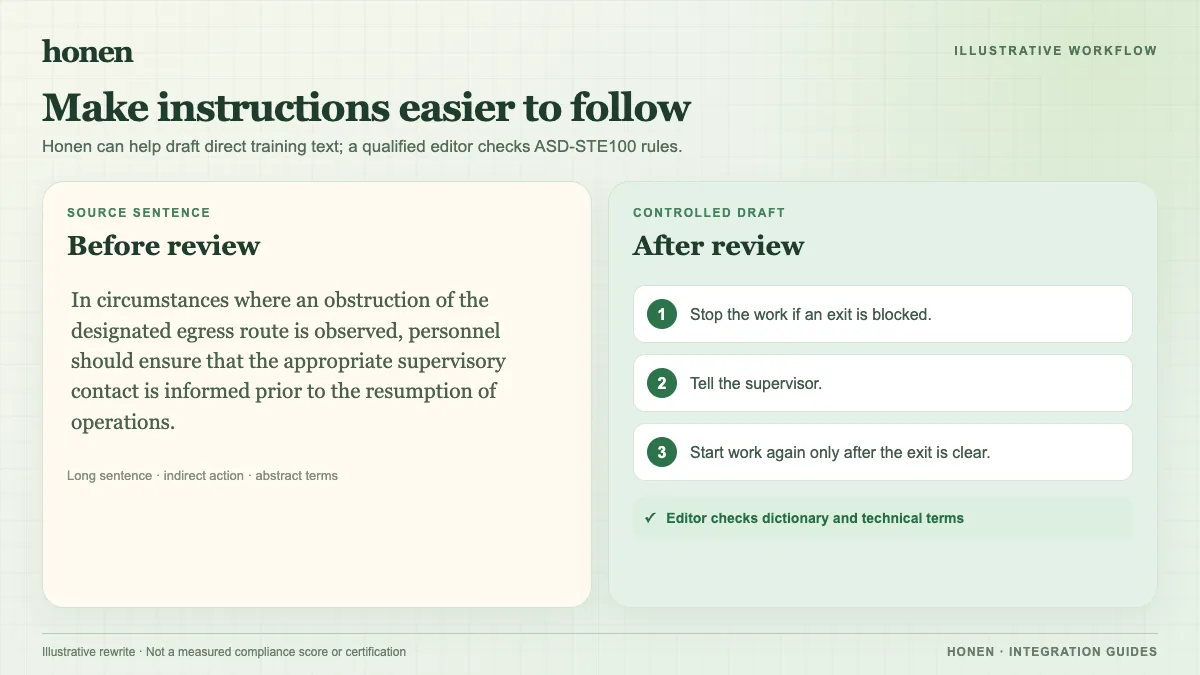
Common topics include safety procedures, data handling, code of conduct, and new employee onboarding. State what a learner must do after the course. For a safety procedure, write “Isolate the machine and verify zero energy” rather than “Understand lockout.” A clear action makes the practice item and result easier to review.
Build from controlled source material
- Gather the current approved policy and its effective date.
- Ask Honen to draft a lesson and practice activity from that source.
- Have the policy owner check each requirement and example.
- Test an unsafe or ambiguous learner answer.
- Approve the course before export.
Use controlled language throughout. Keep one term for one item. Use short sentences and active voice.
Put one instruction in each step. Honen can help draft and review text using practices from ASD-STE100. A qualified editor must check the standard's approved dictionary, rules, and domain terms. Do not describe the course as ASD-STE100 conformant from an AI draft alone.
Update the course when a policy changes
Honen's SCORM ZIP starts the live course. A content edit in Honen appears on the next launch without a new ZIP upload. A change to package settings can require a new export. For regulated work, keep a record of the policy version, course approval, effective date, and affected learners. Decide whether a policy change requires retraining or reassignment in Cornerstone.
Verify the training record
Select a SCORM completion or pass/fail policy that matches the training requirement. Test a complete and an incomplete learner attempt. Inspect the Cornerstone record and the Honen activity view. SCORM writes results through the browser while the course is open; do not assume a later background grade update.
Cornerstone's Content Uploader guide covers adding the ZIP. Your tenant administrator must confirm current launch, assignment, and report settings.
Read how Honen works with Cornerstone for setup and what a live SCORM package is for the update model.
Related guides
Build with Honen
Create a course from your source material. Review the content. Deliver it through your LMS.
Book a demo