Cornerstone learning analytics with Honen
Use Cornerstone Learning to manage the assigned training record and Honen to review how a learner worked through a course. Honen's Cornerstone path uses SCORM, so reporting depends on the package policy and an open learner session.
What Cornerstone can record
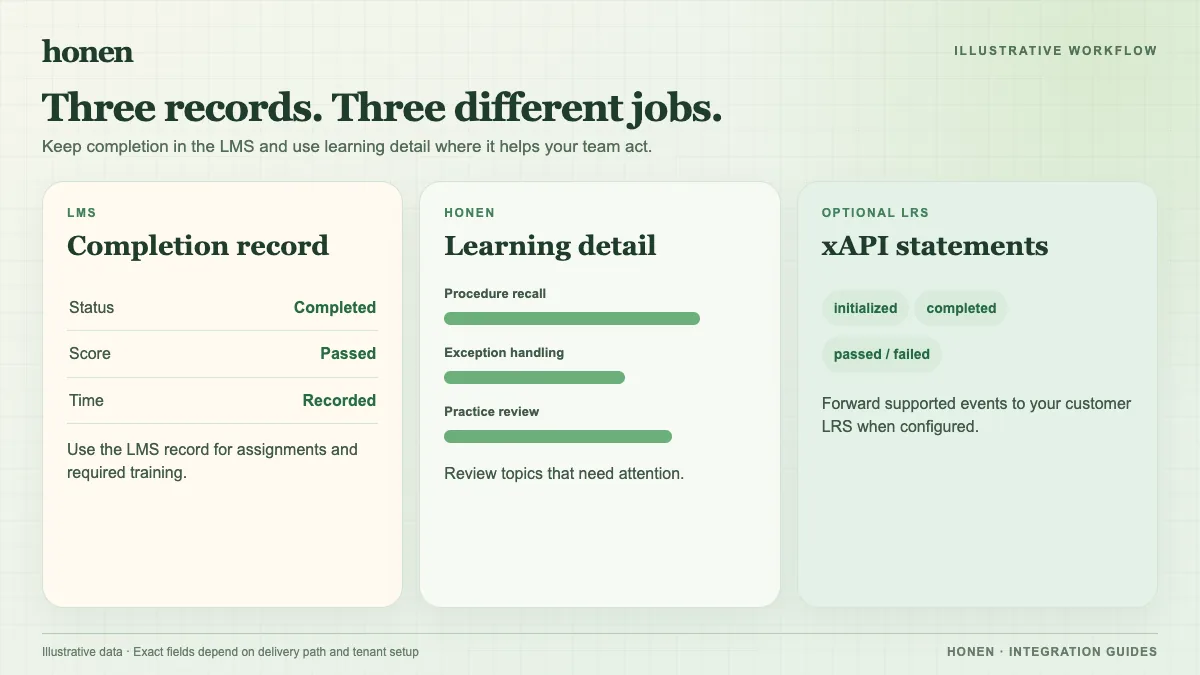
Cornerstone describes reporting and certification support for its learning platform. For a Honen SCORM course, the runtime can send completion, pass or fail, score, session time, and resume data as supported by the selected SCORM version and reporting policy. SCORM 1.2 and 2004 use different data models. Test the result that your Cornerstone report actually displays.
Use Cornerstone for questions such as: Who received the assignment? Who completed it? Which required training remains open? Do not infer mastery from one completion flag.
What Honen adds
Honen keeps course activity and mastery data. A course owner can inspect topic progress and identify a concept that needs better instruction. For example, a group might complete a safety course but repeat the same error in a practice question. Revise that part of the lesson, then test the new text with learners.
If your organization operates a learning record store, Honen can forward xAPI statements through a separate configuration. A SCORM upload in Cornerstone does not set up that forwarding. Confirm your LRS endpoint, permissions, and event policy before you use it.
A reporting check for one test learner
- Assign a Honen course in Cornerstone.
- Launch it as a learner.
- Complete one activity and close the course.
- Resume the course and complete the required work.
- Inspect the Cornerstone result and the Honen progress view.
Keep the course open until the SCORM runtime writes the result. SCORM grades do not travel server to server after the browser closes. Record the reporting policy used for the test.
Keep the source text precise
Clear source text makes analytics easier to interpret. Give each learning goal a specific action. Use one name for each item and one action per instruction. Honen can help draft and review this controlled-language style, which uses practices from ASD-STE100. A qualified editor must check the approved dictionary, rules, and domain terms; Honen does not measure ASD-STE100 conformity.
Review Honen with Cornerstone for the delivery workflow and SCORM, cmi5, xAPI, and LTI for the reporting differences.
Related guides
Build with Honen
Create a course from your source material. Review the content. Deliver it through your LMS.
Book a demo