AI tutor for Workday Learning courses
Honen adds a tutor within the course that a learner opens from Workday Learning. The course arrives as a SCORM media lesson, so Workday remains the place for assignments and completion records. Read the Honen and Workday Learning overview for the package path.
What the tutor adds
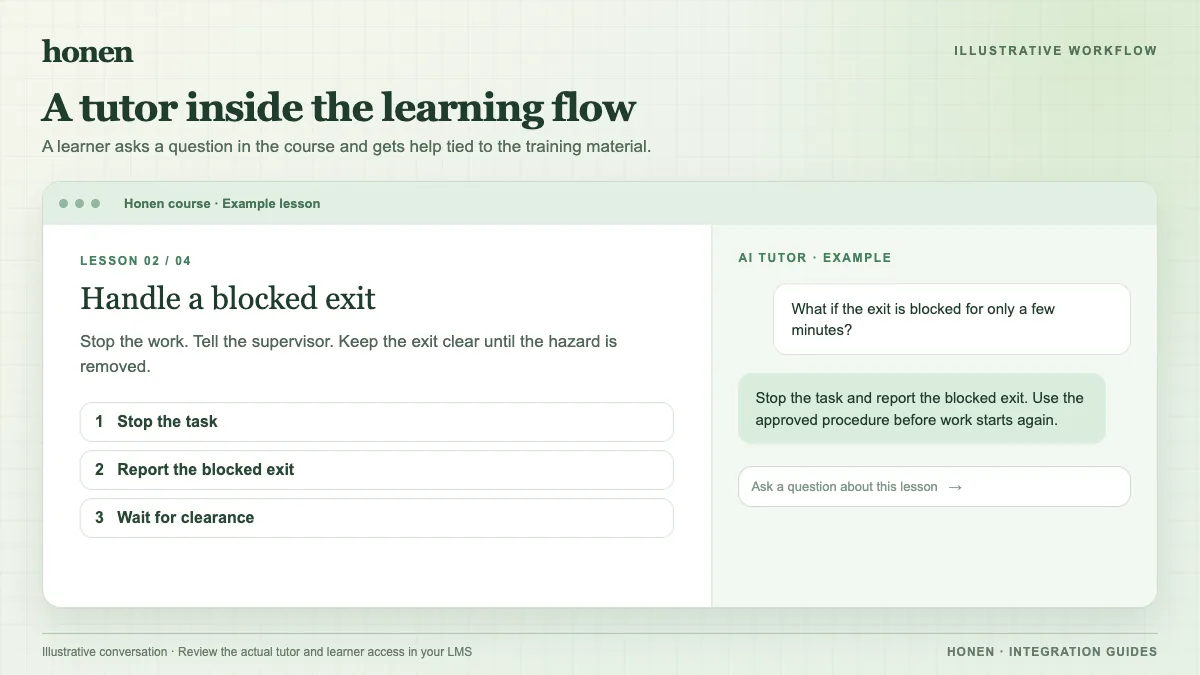
A static page can state a policy. A tutor can help a learner work through a question about that policy while the course is open. For example, a learner might ask, “Which form do I use for a leave request?” The tutor can point to the approved course material and ask the learner to check the current policy. A course owner should test likely questions and revise unclear source content before release.
The tutor runs in the Honen course launched through Workday. Test the sign-in and launch experience with a learner account in your tenant. Do not assume every browser or tenant has the same pop-up and cookie behavior.
Control the source and the answer
- Supply approved, current policy documents.
- Remove obsolete versions.
- Review the course and tutor answers for errors.
- Write model answers in short, direct sentences. Use the same term for the same action.
- Have a qualified editor check the approved dictionary, ASD-STE100 rules, and domain terms where controlled language is required.
Honen can help draft and review that style. It cannot certify ASD-STE100 conformance or replace a subject expert's approval.
Know what Workday records
Workday tracks package status and, for assessed packages, summary score and pass/fail data. The tutor conversation is part of the learning experience in Honen; do not assume its full text appears in Workday reports. The SCORM browser connection can report progress, score, time, and resume data while the course is open. Test the actual values your package sends.
Next step
Review Honen with Workday Learning and how to add an AI tutor to an existing LMS.
Related guides
Build with Honen
Create a course from your source material. Review the content. Deliver it through your LMS.
Book a demo