Send Honen learning records to Watershed LRS
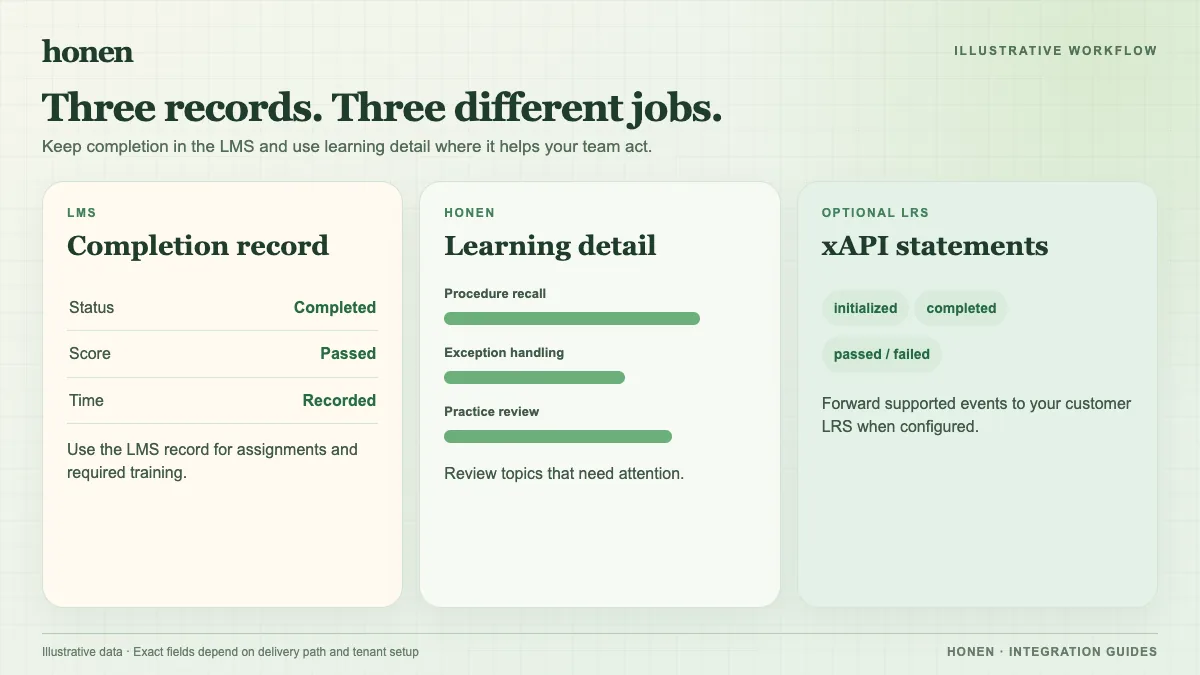
Use Watershed when you want an LRS to receive learning activity from courses built in Honen. This is an xAPI data connection, not a course import into Watershed. Honen can forward xAPI 1.0.3 statements to a customer LRS with retry. Your team must provide a Watershed endpoint and credentials, then test the records that arrive. Start with the LMS delivery overview if you also need an LMS completion record.
Set up the receiving LRS
- In Watershed, create an activity provider for Honen. Give it a name your reporting team will recognize. Watershed's activity-provider guide explains where to find the endpoint, key, and secret.
- Give the endpoint and credentials to the administrator who configures xAPI forwarding in Honen. Handle the key and secret as credentials; keep them out of course content and screenshots.
- Send a test statement before a learner rollout. Watershed's Postman procedure shows the required
X-Experience-API-Version: 1.0.3header and a way to check that the LRS accepts a statement. - Launch a Honen course as a test learner. Find that learner's record in Watershed. Confirm the actor identifier, activity identifier, verb, and timestamp with your reporting owner.
The Postman test checks the Watershed endpoint. The learner test checks the complete Honen-to-Watershed path. Keep both results when you investigate a missing statement.
Decide what each system measures
If learners launch from an LMS, use its supported SCORM, cmi5, or LTI path for the LMS record. Use Watershed for the xAPI events your team wants to analyze across sources. A Watershed statement does not by itself set an LMS grade. For SCORM, completion and score return through the open browser course; there is no later server-to-server grade update. The live SCORM guide explains that limit.
Agree on a stable learner identifier before you compare data from Honen, Watershed, and an LMS. Review a sample statement with the reporting team. Confirm that it answers a real question, such as which lesson learners revisit after a failed check. Do not assume that two systems will merge records merely because a learner has the same display name.
Write clear courses before you measure them
Honen can draft a course from approved documents and help an editor use short, direct instructions. If your organization uses ASD-STE100, a qualified editor must check the approved dictionary, writing rules, and technical terms. The ASD-STE100 source provides the official standard. Then deliver the reviewed course to your LMS and verify the Watershed records from a test launch.
Related guides
- How to add an AI tutor to your existing LMS with Honen
- AI course creation tools for corporate LMSs: a practical comparison
- Which LMS integration do you need? Choose a Honen delivery path
- Honen vs Articulate 360: course authoring and LMS delivery
- How to keep compliance training current across several LMSs
Build with Honen
Create a course from your source material. Review the content. Deliver it through your LMS.
Book a demo