Test a Honen SCORM package in SCORM Cloud
SCORM Cloud is a useful test player before you import a Honen package into your production LMS. Import the ZIP, launch it as a learner, and inspect the recorded result. A passing SCORM Cloud test checks the package path; you must still test your own LMS and browser settings. The live SCORM package guide explains what stays current after import.
Run a repeatable test
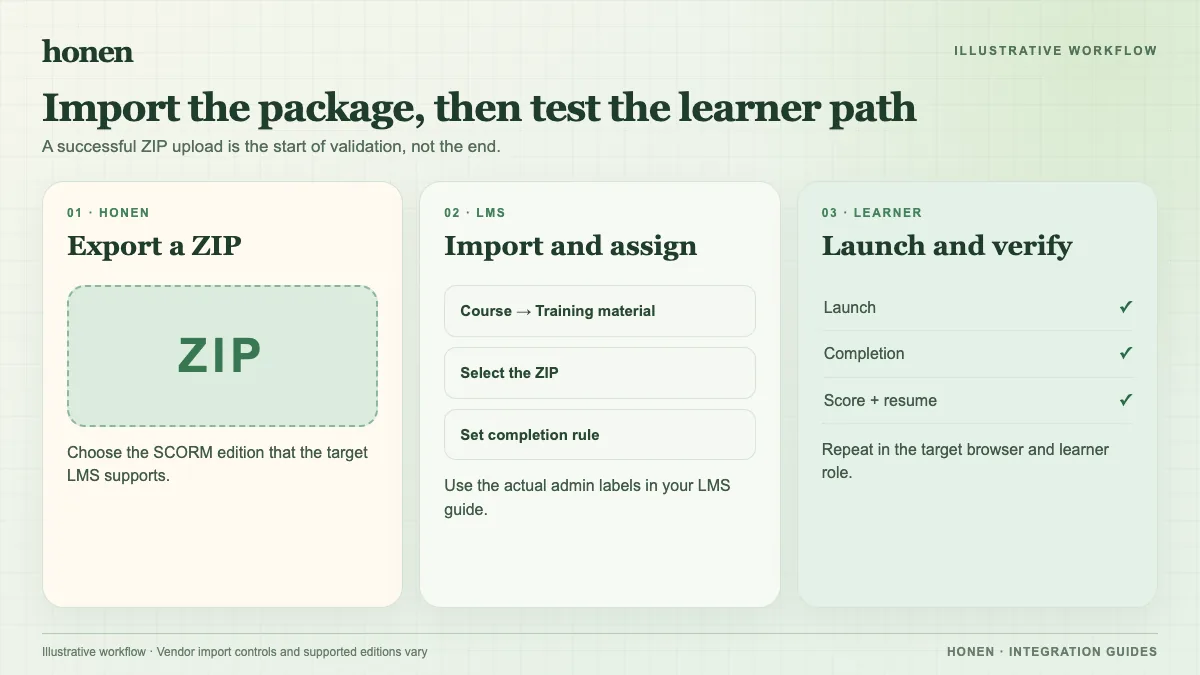
- In Honen, choose the SCORM version your destination LMS accepts and download the package. Keep the ZIP intact.
- In SCORM Cloud, select Add Content, then Import a SCORM, AICC, xAPI or cmi5 package. Choose the Honen ZIP and import it. These labels come from the SCORM Cloud getting-started guide.
- Launch a test registration from the course Sandbox. Complete the course once. Check the completion status, pass or fail status, score, and time against your course settings.
- Start another registration, leave partway through, and reopen it. Check the resume behavior. Then inspect the debug log if a value is missing or late.
- Repeat the same learner path in the target LMS. Check its launch window, browser policy, package version, and completion rule.
Use a fresh registration when you change a setting that affects completion or scoring. Keep notes on the ZIP version, test learner, browser, and observed values. This makes it easier to separate a package issue from an LMS configuration issue.
Understand what this test can prove
SCORM Cloud supports SCORM 1.2 and several SCORM 2004 editions, but your target LMS might support fewer options. A successful import into SCORM Cloud does not prove compatibility with every LMS. Honen's thin package loads the current Honen course at launch; edit the lesson in Honen and test a new launch to confirm the updated content. The SCORM result travels through the open browser session. It does not become a server-to-server grade update after the learner exits.
SCORM Cloud also offers Dispatch, which uses a hosted shell package. Honen's live package is its own delivery path. Do not describe live hosting as unique to Honen. If your team compares tools, read the Honen and Articulate comparison and test the option that fits your LMS.
Check the words learners see
Use Honen to draft from approved policies, slides, or other source material. Test the course text as well as its tracking. If you use ASD-STE100, a qualified editor must review the approved dictionary, writing rules, and technical terms. The ASD-STE100 source provides the standard.
Related guides
- How to add an AI tutor to your existing LMS with Honen
- AI course creation tools for corporate LMSs: a practical comparison
- Which LMS integration do you need? Choose a Honen delivery path
- Honen vs Articulate 360: course authoring and LMS delivery
- How to keep compliance training current across several LMSs
Build with Honen
Create a course from your source material. Review the content. Deliver it through your LMS.
Book a demo