Docebo SCORM not tracking? Check completion, cookies, and score
If a Docebo SCORM lesson stays “not started” or does not record completion, test one learner launch from start to finish. Check the course report after the learner uses the package's Close or Exit control. This isolates the first failure. See Honen for Docebo for the delivery model.
Check the exit path
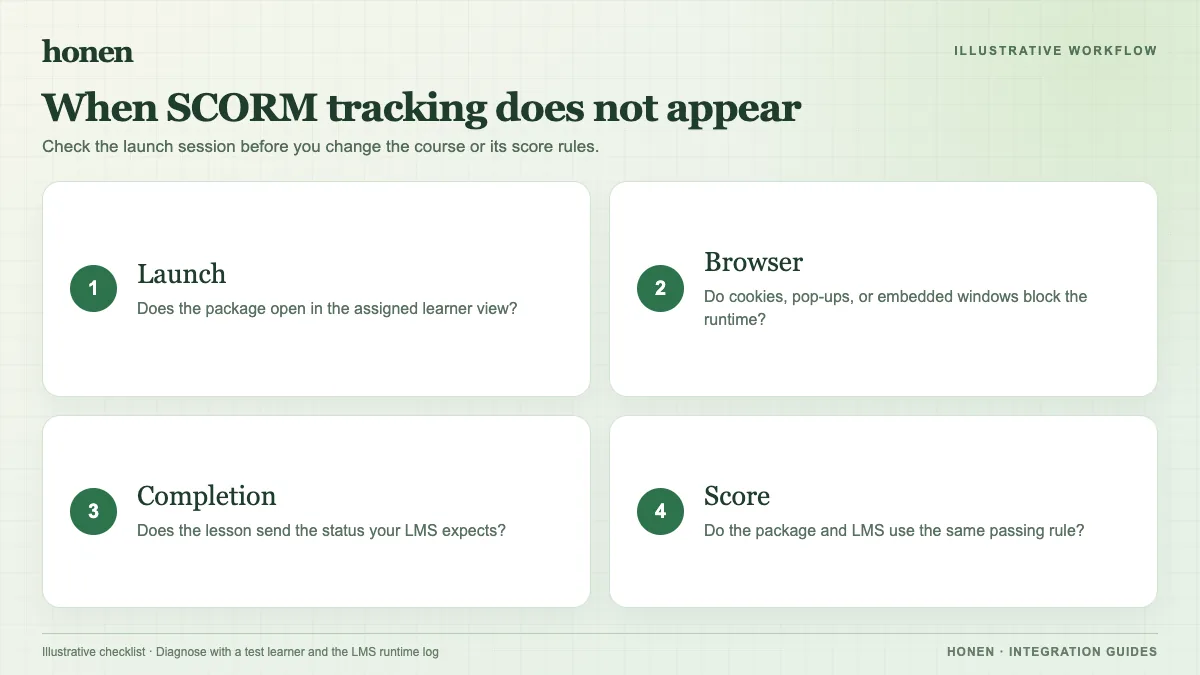
Docebo says learners should use the SCORM package's Close, Exit, or Submit control. Closing the browser tab can stop the completion event from reaching Docebo. Reproduce the issue with the exact learner steps. Add a clear final screen that tells the learner how to exit.
Check cookies and the launch view
Docebo warns that blocked cookies, including third-party cookies, can leave a played lesson marked as not started. Test the target browser and privacy settings. If an embedded view fails, test Docebo's new-window view. Honen has an open-in-new-tab fallback for constrained embedded sessions. Test it in your tenant; do not assume a browser change alone solves every reporting issue.
Check version and score settings
Docebo supports SCORM 1.2 and 2004 3rd Edition. For Honen, use SCORM 1.2: its 2004 export is 4th Edition, while Docebo documents 3rd Edition. Docebo documents different suspend_data limits and says its SCORM 2004 score comes from cmi.score.raw. For a quiz, check the package's score output and the Docebo score calculation method. If the content opens but the score is absent, check those settings before you rebuild the course.
Check the report
Open the Docebo course report. Look at the learner's training material status, attempts, completion date, and score. Compare them with the Honen activity for that same attempt. Honen SCORM grade and progress reporting occurs while the course is open; it does not send a later server-side grade to Docebo.
Keep troubleshooting instructions clear
Use short, active steps in the learner's exit message. Name one control consistently. If your training follows ASD-STE100, a qualified editor must check terminology and rules. Honen can help draft that message; it does not certify the language.
For a clean re-upload, follow the Docebo SCORM upload guide. Review live SCORM packages, then return to Honen for Docebo.
Related guides
Build with Honen
Create a course from your source material. Review the content. Deliver it through your LMS.
Book a demo