How to upload a SCORM package to Docebo
Open your Docebo course, go to Training material, and add the SCORM ZIP. Docebo supports SCORM 1.2 and SCORM 2004 3rd Edition. If you need a course to upload, build and review one in Honen first, then export SCORM 1.2. Honen's 2004 export is 4th Edition, while Docebo documents 3rd Edition. See the Docebo integration overview.
Before you upload
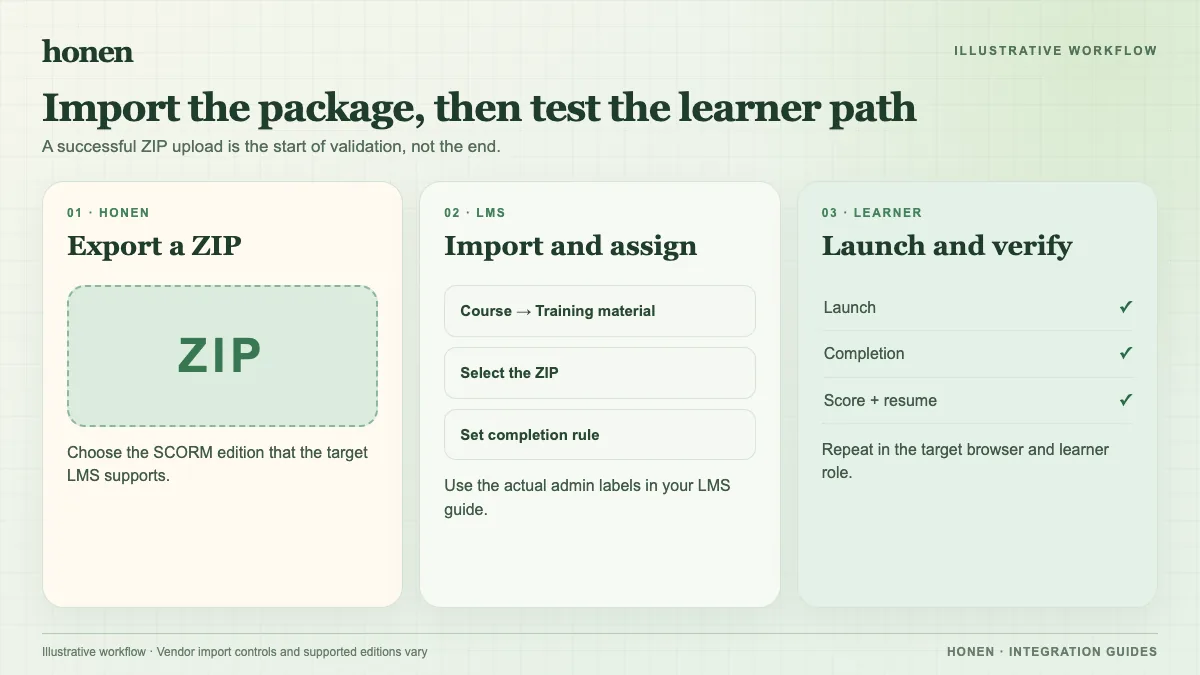
Export the Honen course in the SCORM version you plan to use. Keep the ZIP intact. Docebo says the package must contain imsmanifest.xml at the ZIP root, must use HTTPS for referenced content, and must be within its file-size limit. Check the exact package in a test course.
Upload the ZIP
- Open the Docebo Navigation menu.
- Under Content and delivery, open Courses.
- Open the course that will contain the lesson.
- Open the Training material tab.
- Select Add training material, then SCORM.
- Select Upload file and choose the ZIP.
- Choose a view mode for each device. Set score calculation if the package has tests.
- Add a clear title, description, and thumbnail. Save the training material.
These names follow Docebo's current administrator guide. Your tenant may have different permissions or a changed menu layout.
Test completion and score
Enroll a learner test account. Launch the material from the course. Finish the activity. Use its Close, Exit, or Submit control.
Docebo warns that closing the browser tab alone may prevent progress from reaching the LMS. Open the course report. Check status, completion date, and score. If a score is wrong, check both the Honen reporting rule and Docebo's score calculation method.
Keep the language controlled
Review the source procedure before you publish. Use short, active instructions. Use one approved term for each item. Ask a qualified editor to check the approved dictionary and ASD-STE100 rules. Honen helps draft and revise.
For update behavior, see what a live SCORM package is. Return to Honen for Docebo for the full workflow.
Related guides
Build with Honen
Create a course from your source material. Review the content. Deliver it through your LMS.
Book a demo