AI tutor for Canvas LMS courses
Use Honen to add a course-specific AI tutor to a lesson launched from Canvas. The tutor appears in the Honen learning experience, while Canvas remains the course and gradebook home. See how Honen works with Canvas for the LTI 1.3 path.
Give the tutor a defined job
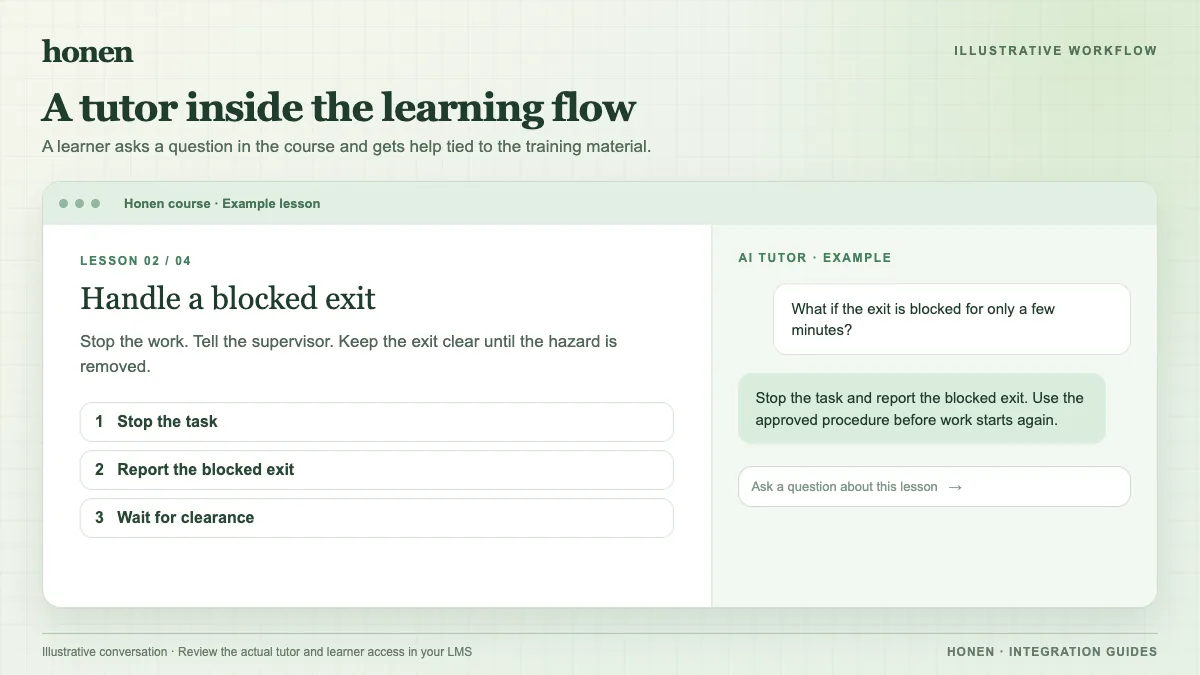
A tutor can answer a learner's question about course material and guide the learner through a concept. It should use approved source content and respect the course rules. For example, a learner asks, “Which research data may I put in a shared folder?” The tutor can point to the approved policy. It can then ask the learner to identify the applicable rule.
Do not use the tutor as the only check for a safety, legal, or regulated decision. A subject expert must test common questions, edge cases, and unsafe requests before the course goes live.
Place the course in Canvas
Canvas supports external tools in modules and assignments. After an administrator registers Honen, an instructor can use Deep Linking to select the Honen course. A verified LTI launch provisions the learner and maps the Canvas course context in Honen. The learner does not need a separate Honen sign-in for that launch.
Test the embedded view. Canvas can show an external-tool assignment in an iframe. Browser policy and tool placement can affect that view, so use the browsers your learners actually use.
Make tutor source text clear
Use one name for each object. Write short sentences in active voice. Put one action in each step. Honen can help draft and review this controlled-language style, which draws from ASD-STE100. A qualified editor must check the approved dictionary, rules, and domain terms.
Track the right result
Honen keeps activity and mastery information for the course. For a graded Canvas assignment, Canvas AGS can accept a result from a permitted LTI 1.3 tool. Honen can send completion or pass/fail to an associated line item server to server. The tutor conversation is not itself a Canvas grade. Test the selected grade policy before assigning the course to many learners.
Read Honen with Canvas to set up the path, and how to add an AI tutor to an existing LMS to plan the learner experience.
Related guides
Build with Honen
Create a course from your source material. Review the content. Deliver it through your LMS.
Book a demo