AI tutor for Blackboard Learn courses
The Honen tutor is part of the Honen course that learners launch from Blackboard Learn. See Honen with Blackboard Learn for the available LTI 1.3 and SCORM paths.
SCORM support alone does not verify Honen's hosted launcher in Blackboard Learn. Test the exact ZIP, learner launch, and result in your site before rollout.
Give the tutor approved content
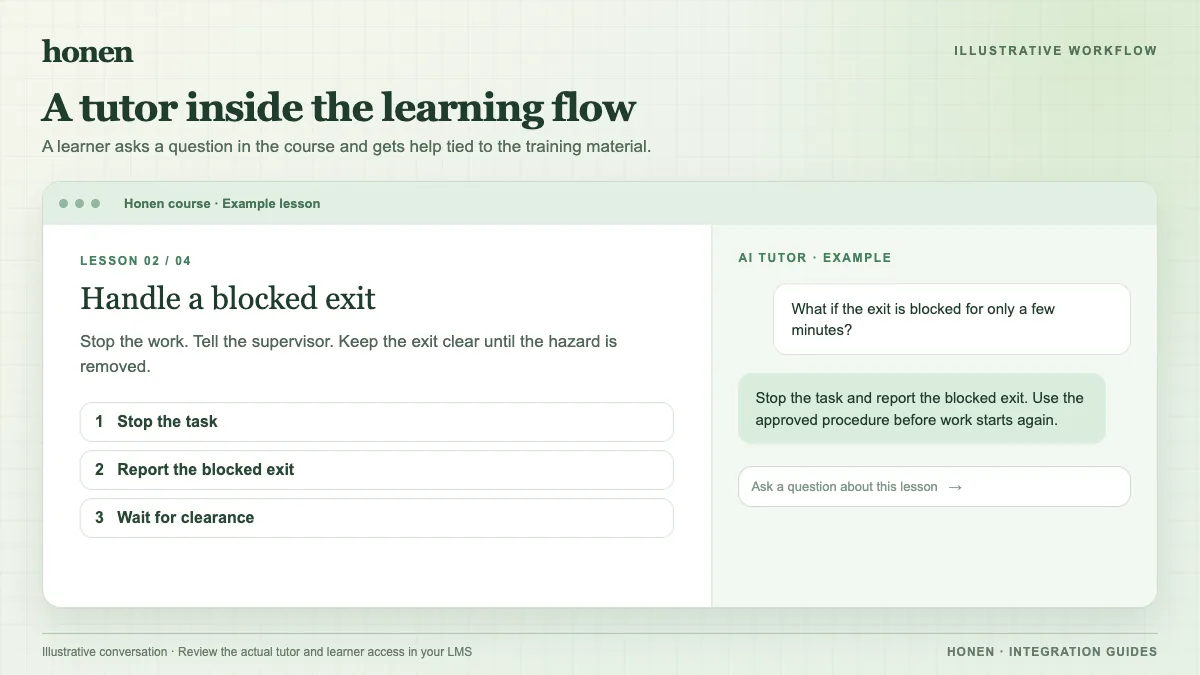
Build the lesson from current source material. Review facts, terms, and assessment answers. A tutor response is more useful when the course has clear scope and an approved source. A learner can ask, for example, “Which inspection step comes before power-on?” The course owner should test that answer against the approved procedure.
Honen can help teams draft and review controlled language inspired by ASD-STE100. Use short sentences and direct verbs. A qualified editor must check the approved dictionary, rules, and domain terms before the content goes live.
Launch it from Blackboard
An administrator can register Honen as an LTI 1.3 tool and configure a placement. Use a learner test account to confirm the selected placement opens the course and tutor. An embedded view depends on placement and browser behavior.
If your institution uses SCORM instead, add the package to Course Content. The same Honen course and tutor load from the thin package. SCORM completion and score reporting depend on the open browser session.
Check the learner experience
Test access, tutor questions, course completion, and any gradebook entry with a learner account. If you use LTI AGS, confirm the Blackboard placement and line item allow the result you expect. Keep gradebook reporting separate from the richer course progress available in Honen.
Next step
Review Honen with Blackboard Learn and how to add an AI tutor to an LMS.
Related guides
Build with Honen
Create a course from your source material. Review the content. Deliver it through your LMS.
Book a demo