How to import Honen SCORM into HealthStream HLC
HealthStream confirms that organizations upload SCORM packages into its Authoring Center. Public material does not establish the current import controls, ZIP limit, or SCORM edition for every tenant. Ask your HLC administrator for those settings. See Honen with HealthStream for the content plan.
Prepare the package
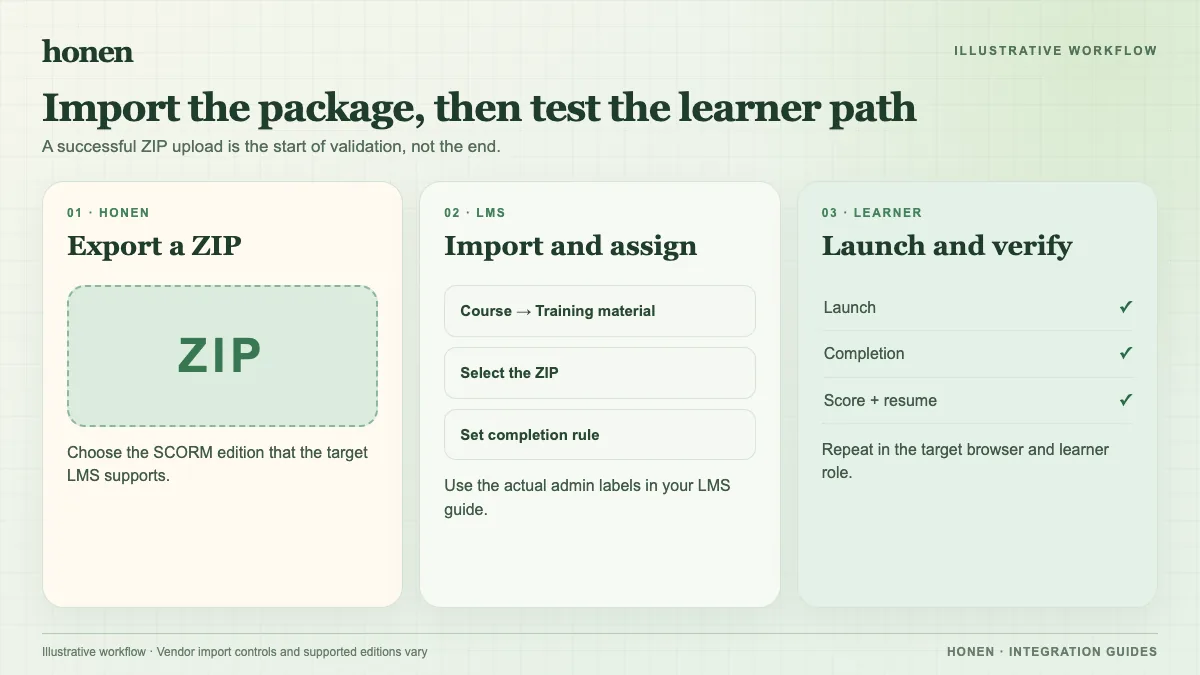
- Review the Honen course against the current approved policy. Ask a qualified editor to check the ASD-STE100 rules, approved dictionary, domain terms, and clinical facts.
- Export the SCORM edition that your HLC administrator approves. Keep the ZIP within your tenant's current file limit.
- Record the course version, source policy, reviewer, and expected completion or score rule.
- Give the ZIP to the administrator for import into the appropriate HLC course. Follow the controls shown in your tenant.
Test the exact package that staff will use. A test with a different ZIP or a preview window cannot prove that the assigned learner path works.
Check the report you need
Use a learner account to open the course, complete it, exit, and return. Check completion, score, and resume in the HLC record. If your policy needs a separate test or evaluation report, inspect that report too. Ask the administrator whether a native HLC assessment is needed if the SCORM result does not appear there.
Honen's hosted thin package needs an HLC launch test before you rely on later content updates without a new ZIP. SCORM sends data while the browser course is open. A revised lesson does not by itself prove that staff took it again. Plan a new assignment when the policy calls for retraining.
Return to Honen with HealthStream and read the live SCORM package guide.
Related guides
Build with Honen
Create a course from your source material. Review the content. Deliver it through your LMS.
Book a demo