AI tutor for Google Classroom assignments
Add a Honen course to Google Classroom so learners can use its course-specific AI tutor. The tutor runs in the Honen content that the Classroom add-on opens. Read how Honen works with Google Classroom for setup requirements.
Give the tutor approved material
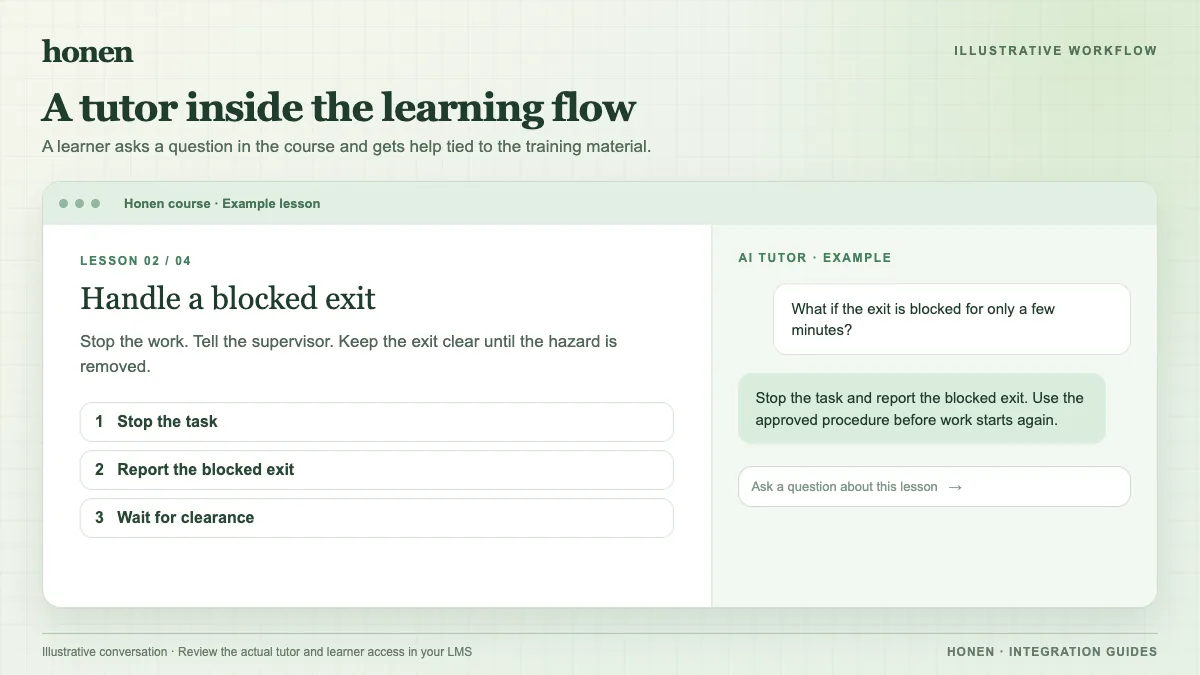
An AI tutor can help a learner work through a question after a lesson. For example, the learner asks, “Which sentence states the claim?” The tutor can point back to the approved reading and ask the learner to identify the evidence. It should not invent a rule or give an unsupported answer.
Before you assign the course, check the source files and the tutor's instructions. Test likely questions, ambiguous wording, and requests for an answer to graded work. A teacher remains responsible for the lesson and assessment.
Attach the learner experience
Google lets teachers add installed add-ons to assignments and other classwork. The teacher creates the attachment on the web. The learner can open it on the web or mobile. Honen's Classroom guide describes selecting a Honen course or supported activity from the Add-ons area.
- Publish the reviewed Honen course.
- Select Honen in a test Classroom assignment.
- Open the assignment as a test learner.
- Ask the tutor a course question.
- Check the response against the approved source.
Google's attachment model keeps the interactive experience in Classroom's add-on view. Ask the test learner to report any sign-in or browser problem before the class receives the assignment.
Keep language consistent
Give one action per instruction. Use the same word for the same item. Write short sentences in active voice. Honen can help draft and review this controlled-language style, informed by ASD-STE100. A qualified editor must check the approved dictionary, rules, and domain terms.
Separate help from grading
The tutor helps with learning. It does not itself publish a Classroom grade. A supported graded activity can update draft points through the add-on; the teacher reviews and publishes the grade. Use a test assignment to check both the tutor and the draft points.
Return to Honen with Google Classroom for the integration overview, and read how to add an AI tutor to an existing LMS for a wider planning guide.
Related guides
Build with Honen
Create a course from your source material. Review the content. Deliver it through your LMS.
Book a demo