Docebo learning analytics: read the LMS record and the learning activity
Use Docebo for the assigned course record. Use Honen to review activity inside the Honen course. These views answer different questions. The Honen and Docebo overview explains the delivery path.
What the Docebo report shows
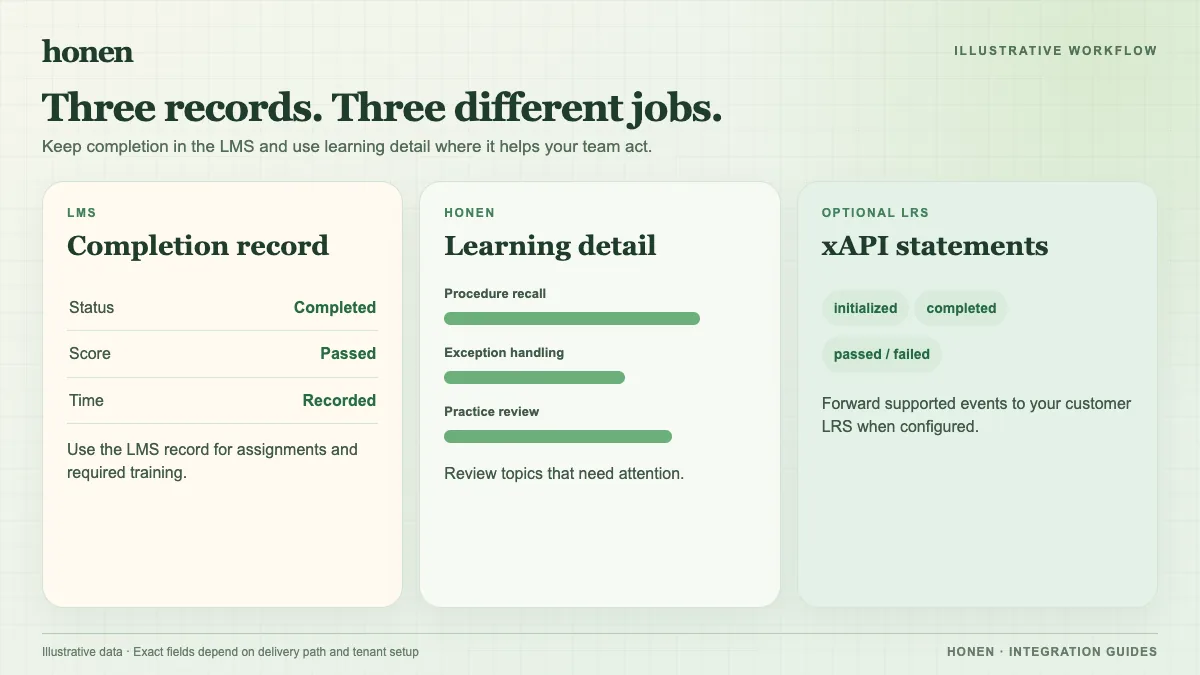
Docebo's course report shows course status and score. Its learner view lists training material, first and last attempts, completion dates, version, and status. For SCORM material with questions, Docebo also describes CMI attempt details and answer data. Use the report to check the official learning record in your tenant.
Docebo tracks each SCORM training material separately. A course with several packages does not turn them into one combined SCORM record by itself. Set the Docebo course score rule with that structure in mind.
What Honen adds
Inside Honen, review the course activity and tutor use that supports the learner's result. A course owner can use this view to find a weak topic, revise an explanation, or check whether a question is unclear. Validate any export or xAPI forwarding setup against your organization's event policy and LRS configuration. Do not treat an xAPI event stream as the same thing as Docebo's completion record.
Run a useful report check
- Define the completion rule before you assign the course.
- Have a test learner complete the lesson and use its Close or Exit control.
- Inspect status and score in Docebo.
- Inspect the learner path in Honen.
- Resolve any mismatch before launch.
Docebo warns that blocked cookies or an improper exit can stop SCORM tracking. Honen's SCORM grade and progress reporting occur while the course is open. Test the browser and launch mode that learners will use.
Use clear language in the course and the report
Name each measured action with one approved term. Write short, active descriptions for completion rules. A qualified editor must check any ASD-STE100 language requirement against the approved dictionary and specification. Honen assists drafting and review.
For delivery choices, read SCORM, cmi5, xAPI, and LTI explained. Return to Honen for Docebo.
Related guides
Build with Honen
Create a course from your source material. Review the content. Deliver it through your LMS.
Book a demo