
Use the lesson plan to locate a unit test and see what still needs to be completed. A test is separate from a topic's practice quiz.
1. Find the test
- Open a course topic.
- Select the topic title or lesson-plan icon at the top.
- Expand the unit.
- Select its Unit Test entry.
2. Work through the test
- Read the current question and select an answer.
- Follow any confidence or other response prompts shown by the test.
- Use the question navigation to review progress and find unanswered items.
- Complete the required responses before using Submit test.
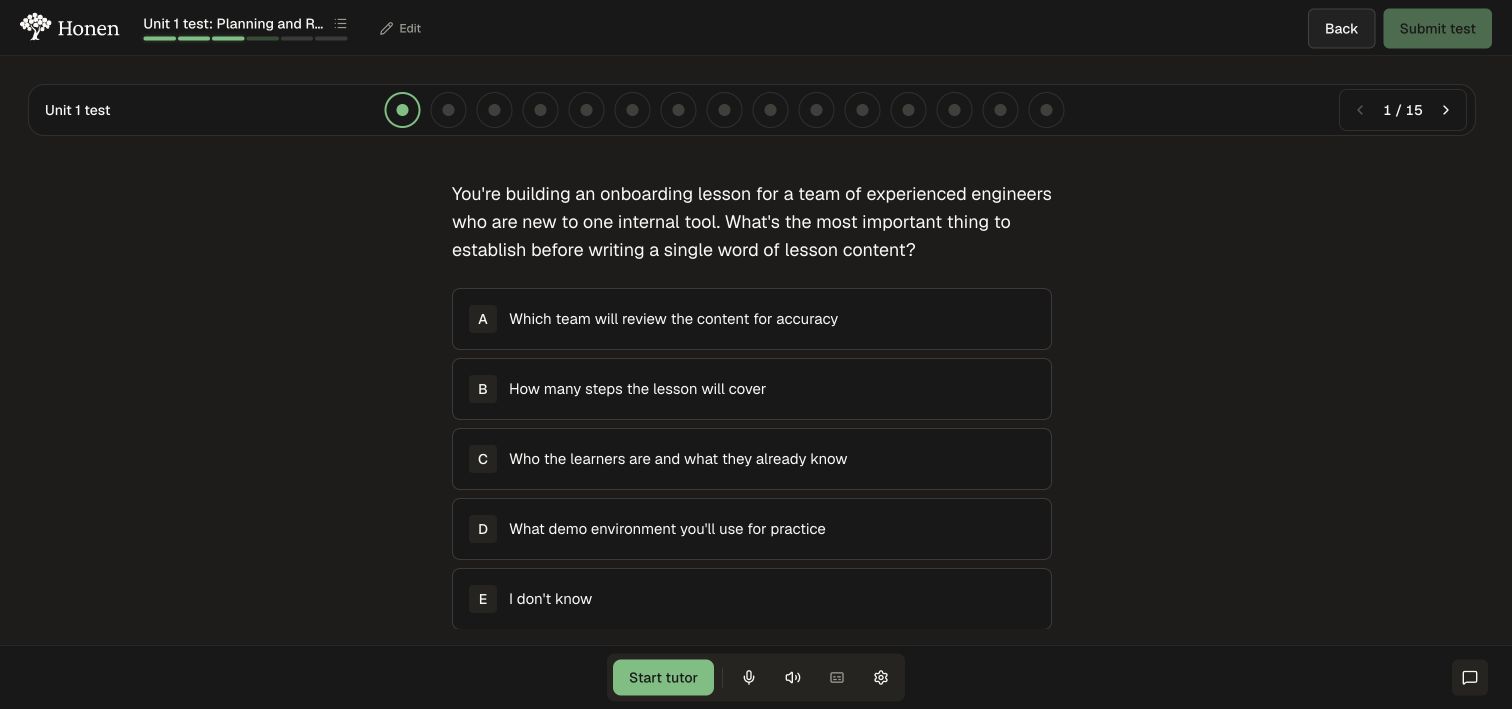
After submitting, review the result and any feedback the test provides. Return to the lesson plan to see the work remaining in the course.
3. Check remaining requirements
- Reopen the lesson plan.
- Inspect Finish the course.
- If it is locked, read the listed remaining activities and return to those sections.
- Complete the required work, then return to the finish action.
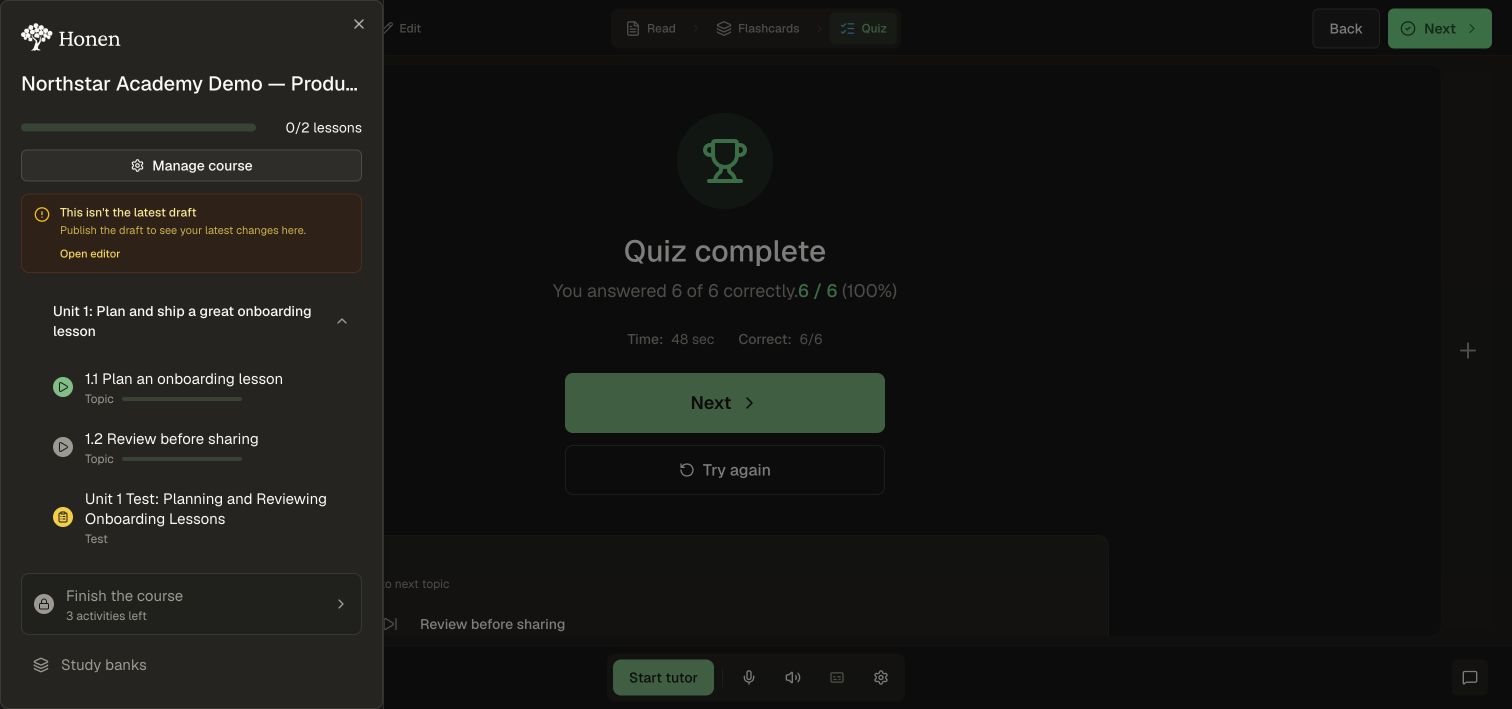
Course completion, assignment criteria, and curriculum certificates are different outcomes. A passing practice quiz does not by itself prove all three are complete. A required test uses the higher of its authored passing score and the assignment minimum when both exist; if neither is set, the default is 80%. Optional tests do not gate completion. See Assignments for the required-work settings.